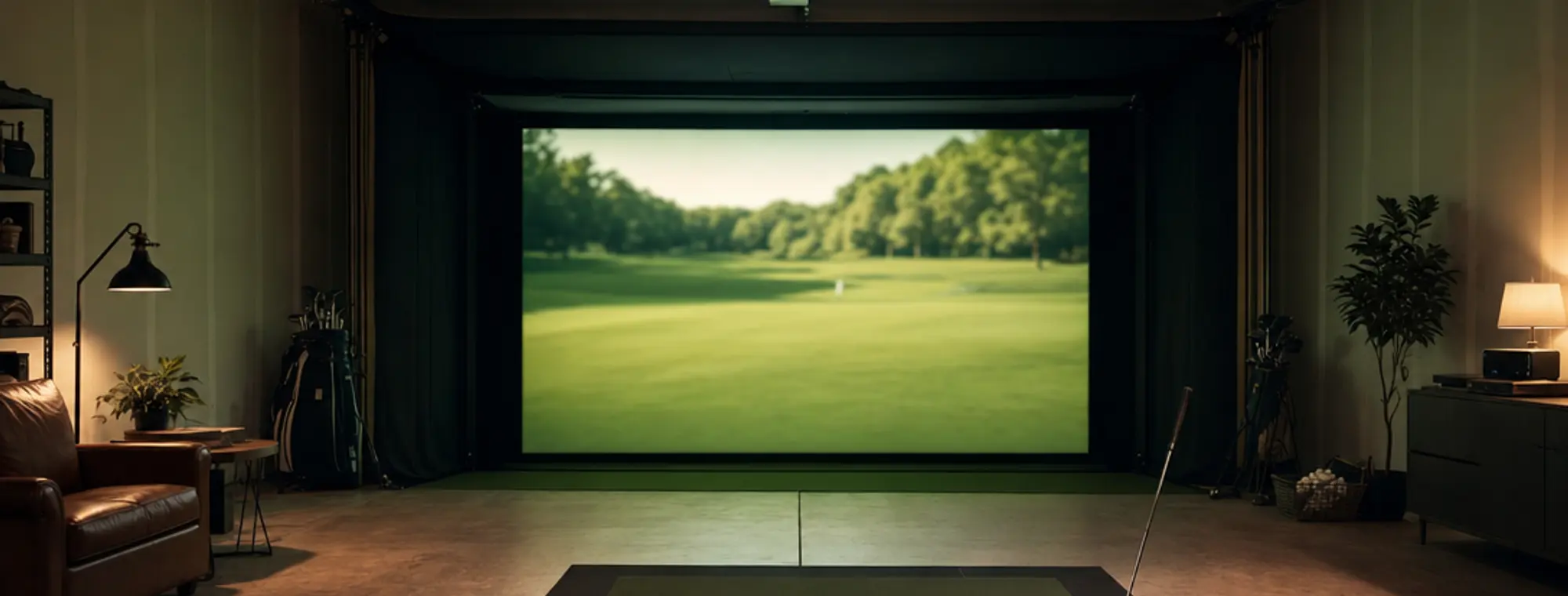
How much does a golf simulator cost?
By The Home Golfer editorial team · Cost tables last updated July 30, 2026; configurator prices checked September 14, 2026
A home golf simulator costs anywhere from about $700 for a DIY minimum (a budget launch monitor, a net, and a mat) to $70,000 and up for a commercial TrackMan bay with pro installation. Most people who build one at home land somewhere in the $2,000 to $8,000 range, and where you fall inside that spread is decided almost entirely by two choices: which launch monitor you buy, and whether you want a projected screen or just a net.
Price your own build
InteractivePick a target budget, then swap any line for its alternative. The total updates as you go. Every price is a published figure with its source and the date it was checked.
The first projected screen
The tier where a garage starts behaving like a simulator. You add an impact screen, a frame to hold it, and a short-throw projector, and the monitor stops being a data logger and starts being a golf course. Check your ceiling before you commit to this one.
Launch monitor
$600A screen is only worth it if the data behind it is worth watching.
Garmin Approach R10. Cheapest route to projected course play, through the Garmin Golf app or 5 included E6 Connect courses.
Price per Garmin Approach R10 official product page, checked August 31, 2026.
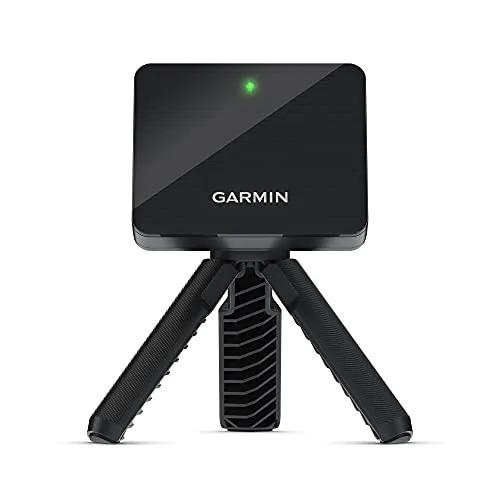
Garmin Approach R10 Portable Golf Launch Monitor
Portable radar unit, 14 metrics, up to 10 hr battery, includes tripod + phone mount.
Net or enclosure
$600 to $1,400The screen has to be held flat and the surround has to be blacked out, or the projected image washes.
Impact screen plus DIY enclosure frame. A projection screen rated for ball strikes ($200 to $500) on a built or kit frame ($400 to $900).
Price per Golf simulator enclosure & kit pricing (SIG, SwingBay, Carl's Place), via Home Performance Lab, checked July 30, 2026.
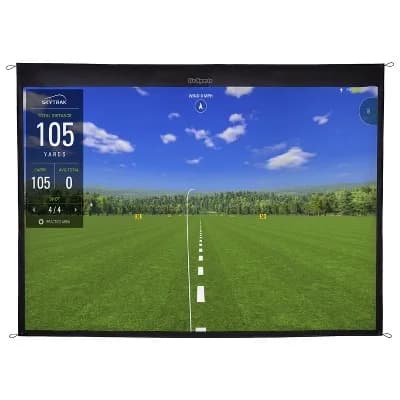
GoSports Golf Simulator Impact Screen
79 × 80.5 in high-density woven-polyester impact screen, 4 corner grommets, projector-ready.
Hitting mat
$200 to $500You will hit far more shots here than in a net-only build.
Mid-tier simulator mat. The step up from the garage mat. Holds a tee and survives daily use.
Price per Golf net & mat combo pricing ($200–$1,400 range), via MyGolfSpy, checked July 30, 2026.
Projector and screen
$500 to $900Short-throw or you stand in your own shadow every swing.
Short-throw 1080p projector. Mounted close to the screen so your body does not block the beam.
Price per Golf simulator enclosure & kit pricing (SIG, SwingBay, Carl's Place), via Home Performance Lab, checked July 30, 2026.
Software
$250 / yrThe recurring line. Over five years it can cost more than the projector.
GSPro. The most-used sim software in 2026, with a large community course library. Wants a Windows PC.
Price per GSPro subscription pricing ($250/yr), via Northcourse, checked July 30, 2026.
Your build
$1,900 to $3,400
One-time hardware, before tax and shipping. Plus $250 a year for software, which is a separate line on purpose: over five years it can cost more than the projector.
That lands on the $3,000 target.
- Launch monitor: Garmin Approach R10$600
- Net or enclosure: Impact screen plus DIY enclosure frame$600 to $1,400
- Hitting mat: Mid-tier simulator mat$200 to $500
- Projector and screen: Short-throw 1080p projector$500 to $900
- Software: GSPro$250 / yr
Bands are 2026 published prices for the category, not a quote. Amazon and retailer links show the live number, and we may earn a commission from them at no cost to you. Disclosure. Before you buy anything on this list, check that the room fits: the room-size calculator grades your ceiling, depth and width against the manufacturers’ published minimums.
Cost by tier: the whole picture
Here’s the full range as four honest tiers. “All-in” means the launch monitor plus the room around it: screen or net, mat, projector, computer, software. Read down the column, find the experience you actually want, and the price follows.
| Tier | All-in cost | What you get |
|---|---|---|
| Entry / DIY minimum | around $700 – $2,000 | A budget launch monitor, a net, a mat, and a phone or tablet for data. Numbers and practice, no projected screen. |
| Mid-range | $2,000 – $8,000 | A better monitor, an impact screen and enclosure, a projector, and a course-play software subscription. The sweet spot for most home builds. |
| Premium | $10,000 – $25,000 | A camera-based monitor (GC3-class), a built or high-end enclosure, a quality short-throw projector, a gaming PC, and a full software library. |
| Commercial / brand-name | $18,000 – $70,000+ | A flagship monitor (TrackMan iO, Foresight GCQuad, Full Swing) plus a turnkey bay and pro install. Bar-and-restaurant-grade accuracy. |
All-in means the device plus the room around it. Bands are 2026 street prices for the category, not a single product quote.
Where the money actually goes
A simulator isn’t one purchase; it’s a stack of them. Breaking it into parts is the only way to see why one setup costs $900 and another costs $19,000 when they look similar in photos. The launch monitor is the brain and the biggest lever; everything else is the room you build around it.
| Component | Cost band | Note |
|---|---|---|
| Launch monitor | $300 – $14,000+ | The single biggest variable. A Garmin R10 is ~$600; a SkyTrak+ is ~$2,995; a TrackMan iO starts at $13,995. This one line sets your tier. |
| Hitting mat | $100 – $700 | A cheap mat works until it wrecks your wrists on fat strikes. A quality mat with real turf feel runs $300–$700. |
| Net or impact screen | $150 – $1,000 | A net is $150–$300 and just catches balls. An impact screen lets you project ball flight and courses, but needs an enclosure and ceiling height. |
| Enclosure | $400 – $2,000 | The frame and blackout surround that holds the screen. DIY frames start ~$400; pre-cut kits like SIG or SwingBay run $1,400–$2,000. |
| Projector | $400 – $1,500 | A short-throw projector so you don't cast a shadow on the screen. Skip it entirely if you play off a tablet. |
| PC or tablet | $0 – $1,500 | A tablet you already own runs basic apps free. Course software like GSPro wants a gaming PC ($800–$1,500). |
| Software subscription | $0 – $600 / yr | Free with some monitors; $159–$600/yr for a full course library. A recurring cost, not a one-time buy (see below). |
Add one line from each row to price your own build. The monitor and the screen-vs-net choice drive almost all of the spread.
Source: SkyTrak+ / SkyTrak ST MAX pricing (official SkyTrak site).
Two lines dominate. The launch monitor can be $300 or $14,000, and that alone moves you between tiers. The second is the screen-versus-net decision: a net keeps you under $1,500 for the whole build, while an impact screen pulls in an enclosure, a projector, and usually a gaming PC, three more line items that quietly double a budget. Decide those two first and the rest of the spreadsheet fills itself in.

GoSports PRO 5' × 4' Golf Hitting Mat
5 ft × 4 ft artificial-turf mat, 15 mm foam base, 6 teeing positions, includes 3 rubber tees.
GoSports Golf Simulator Impact Screen
79 × 80.5 in high-density woven-polyester impact screen, 4 corner grommets, projector-ready.
The mat and screen line items shown above, a concrete look at two of those pieces. Prices move; the Amazon link shows the live number. As an Amazon Associate we may earn from qualifying purchases. Disclosure.
TrackMan, Full Swing & Foresight: what you pay for the name
These are the systems people search for by name, and the honest answer is that they’re priced for commercial bays and serious buyers, not first-time garage builds. What you’re paying for is accuracy and durability that hold up to thousands of rounds, the tolerances a golf pro fitting a $600 driver relies on. For most home golfers that’s more monitor than the swing needs, but here’s where they land so you can judge for yourself.
| System | Starting price | What you get for it |
|---|---|---|
| TrackMan iO | from $13,995 (device) | Ceiling-mounted dual-radar-and-camera unit, the tour-standard brand. A full home bay lands ~$18k–$35k all-in. |
| Foresight GCQuad | around $11,999 | Four-camera photometric unit used on tour and in club fittings. The GC3 (three cameras) is the ~$5,250–$7,000 step down. |
| Full Swing KIT | around $4,999 (device) | The Tiger-Woods-brand camera-plus-radar monitor. Turnkey KIT Studio packages start around $11,500. |
Device-only starting prices; a complete room costs more. Figures per each brand's cited source.
The TrackMan iO starts at $13,995 for the device alone; a finished home bay commonly runs $18,000–$35,000 once you add the enclosure, screen, projector, and install. The Foresight GCQuad sits around $11,999, with the three-camera GC3 as the roughly $5,250–$7,000 step down that a lot of premium home builds actually choose. The Full Swing KIT monitor is about $4,999, with turnkey Studio packages starting near $11,500. None of them are wrong; they’re just answering a question most home golfers aren’t asking yet.
None of these sell through Amazon either, which is part of why the prices are hard to pin down. The Foresight figures in the table above are the published prices at Shop Indoor Golf, a retailer that stocks the premium monitors and pre-cut enclosure kits and publishes package pricing; check there if you want the current number rather than our snapshot.
The recurring cost people forget
Hardware is a one-time hit. Software often isn’t. If you want to play real courses rather than just read numbers, most platforms charge a yearly subscription, and over five years that line can rival a mid-tier component. Budget it separately so it doesn’t surprise you next spring.
| Software | Cost | Note |
|---|---|---|
| GSPro | $250 / yr | The most popular sim software in 2026. ~2,000 community courses; needs a gaming PC. Recurring: access ends if you stop paying. |
| E6 Connect | $300 – $600 / yr | Tiered by course count. Polished graphics, wide hardware support. |
| Awesome Golf | $159 / yr (or ~$350 lifetime) | Cheaper, game-focused, works with common consumer monitors. Lifetime option avoids the annual fee. |
| TGC 2019 | $949 one-time (reseller listing, Oct 2026) | A perpetual license, no annual fee. The no-subscription route if you don't need active updates. |
| Monitor's own app | $0 – $250 / yr | Most monitors ship a free basic app for range and data; full simulation is often a paid tier. |
Budget the annual line separately from the hardware. Over five years a subscription can rival a mid-tier component.
Source: Golf simulator software subscription costs (GSPro, E6, Awesome Golf), via Golfers Authority.
If a subscription bothers you, note the two escape hatches: TGC 2019 is a one-time perpetual license, and most launch monitors ship a free basic app that covers range practice and shot data without paying a cent for course play. Which launch monitors each platform reads, and what it runs on, is in our golf simulator software comparison.
The cheapest path that’s still worth it
If the goal is genuine improvement and not a home theater, the smartest money is a budget launch monitor, a solid net, and a mat that won’t hurt your wrists, roughly $700–$1,200. You get every number that matters for practice, and the monitor does double duty as the tool that measures your real carry distances. Skip the screen, the projector, and the PC until you know you’ll use them. You can always add a screen later; almost nobody regrets starting small.
We laid out three complete builds at that entry point and above (garage-minimum, mid, and enthusiast) with every line item and where to buy it, on the DIY golf simulator guide. And before you buy anything, the one piece that earns its keep from day one is the launch monitor.
If you set the configurator above to $1,000 and pick the Swing Caddie line, you are looking at the cheapest golf simulator setup worth owning: a monitor with a built-in screen and no subscription, a net rated for driver speed, a mat that will not hurt your wrists, and a tablet you already have. Nothing in that build is wasted money later, because every piece of it stays in the room when you add a screen.
One thing to settle before you spend anything: whether the room takes a screen at all. The ceiling is the dimension you cannot change, and a standard 8 ft basement ceiling sits below every published minimum for a full driver swing. Our room-size calculator grades your ceiling, depth and width against the figures TrackMan, SkyTrak and Bushnell publish, and tells you which units fit before the money moves.
Embed this calculator on your site
Free to use on any site. Paste this where you want the budget configurator to appear.
<iframe src="https://thehomegolfer.com/embed/build-budget/" width="100%" height="1180" style="border:0;max-width:720px" title="Golf simulator build budget configurator by The Home Golfer" loading="lazy"></iframe>
<p style="font:13px/1.4 system-ui,sans-serif;text-align:center;margin:6px 0">Free calculator by <a href="https://thehomegolfer.com/" target="_blank" rel="noopener">The Home Golfer</a></p>
<script>window.addEventListener("message",function(e){if(e.origin!=="https://thehomegolfer.com"||!e.data||e.data.type!=="thg:embed-height")return;var f=document.querySelectorAll('iframe[src^="https://thehomegolfer.com/embed/"]');for(var i=0;i<f.length;i++){if(f[i].contentWindow===e.source){f[i].style.height=e.data.height+"px";}}});</script>
The only condition is that the credit link inside the widget stays where it is. The iframe sizes itself to its content; the fixed height in the snippet is the fallback if you drop the script.
Related simulator guides
The rest of the build: cost, components, and whether it fits.
- Will a sim fit your room?Enter your ceiling, depth, and width and get a straight answer, graded against the manufacturers' own published space requirements.
- DIY golf simulatorThree complete builds (garage-minimum, solid mid, enthusiast) with every component costed, plus enclosure and software options.
- Golf simulator packages by budgetThree complete shopping lists (starter, mid, serious) with every component's role, price band, and what each tier gives up against the next.
- Golf simulator softwareGSPro, E6, Awesome Golf and TGC 2019 by price, platform and which launch monitors each reads.
Start with the one piece that does double duty
Pick your launch monitor first
It’s the brain of the sim and the tool that measures your real distances, so it pays off before you build anything around it. Here are the ones that hit the home-golfer sweet spot.
See the launch monitors